Sponsored by Deepsite.site

Cursor Mcp For Java

Created By
saika7 months ago
一个Cursor或VSCode插件,可将您的VSCode或Cursor作为MCP服务器,为MCP客户端(如Cursor、VSCode copilot、Claude Desktop、Cherry studio)提供高级编码辅助功能。如获取项目中的类,与通过全限定名获取类的源代码等(包含项目源代码,以及项目中所有可访问依赖中的类 A Cursor or VSCode extension that turns your VSCode or Cursor into an MCP server, providing advanced coding assistance for MCP clients (such as Cursor, VSCode copilot, Claude Desktop, Cherry studio). Features include retrieving classes from your project and getting source code via fully qualified names (including project source code and classes from all accessible dependencies in the project).
Overview

MCP Server For Java

主要功能

Java开发支持

  • 在项目、外部依赖和JDK中搜索Java类型(类、接口、枚举)
  • 获取项目和外部依赖的Java类型定义和源代码

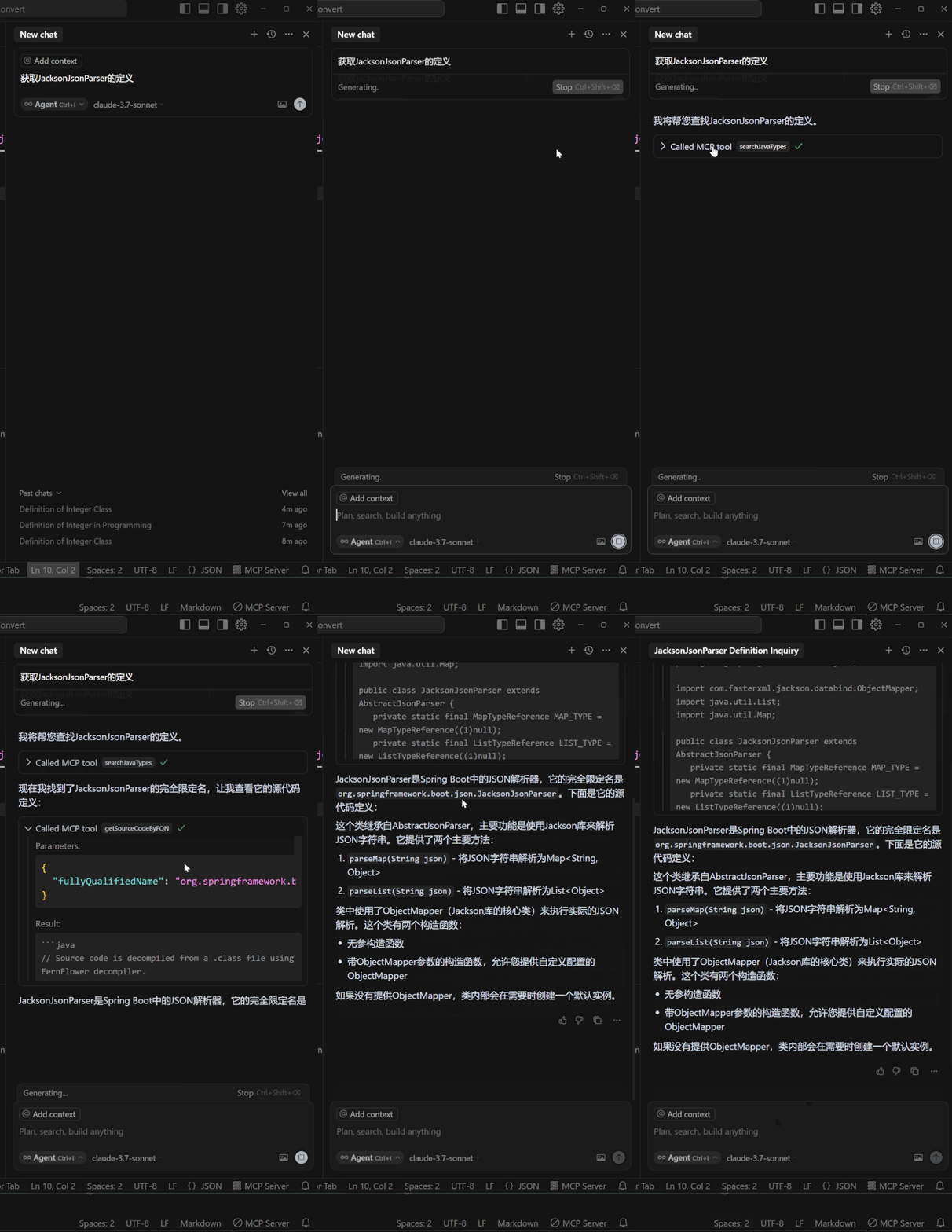
获取类的定义

描述

一个VSCode或Cursor插件,可将您的Cursor或Vscode系IDE作为MCP服务器,提供高级编码辅助功能。如获取项目中的类,与通过全限定名获取类的源代码等(包含项目源代码,以及项目中所有可访问依赖中的类)

多实例切换(注:功能会运行在唯一处于运行状态的mcp server上)

  • 通过点击状态栏项目,轻松在多个打开的VSCode或Cursor窗口之间切换MCP服务器。
实例切换

内置工具

  • searchJavaTypes: 按名称搜索Java类型(类、接口和枚举)
  • getSourceCodeByFQN: 通过完全限定名获取Java类型的源代码定义

首次安装与设置

  1. 确认已经安装插件Extension Pack for Java 且可正常运行java项目

  2. 下载安装本插件MCP Server for Java

  3. 配置您的MCP客户端:

    • 如Claude Desktop,Curosr,Winsurf,Vsocde,Cherry studio等客户端:添加以下内容到您的配置文件(claude_desktop_config.json)中:
    {
      "mcpServers": {
        "vscode-java": {
          "command": "npx",
          "args": ["vscode-as-mcp-server"]
        }
      }
    }
    
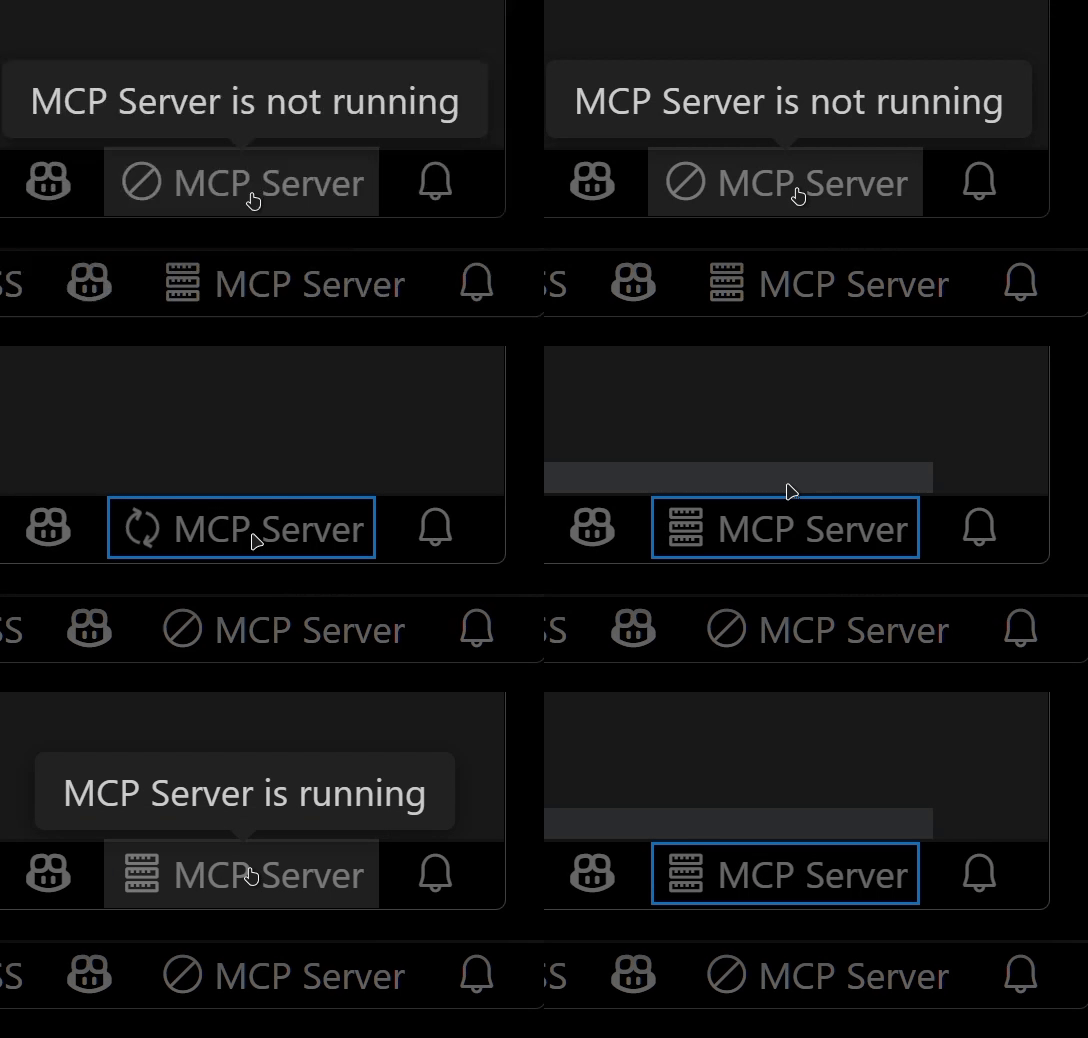
  4. 在VSCode或Cursor状态栏右下角查看MCP服务器状态:

    • ✅: 服务器正在运行
    • ∅: 点击启动服务器

服务器状态指示器

  1. 打开一个java项目,并确保项目完全加载完毕 项目完全加载完毕

MCP Server For Java

Key Features

Java Development Support

  • Search for Java types (classes, interfaces, enums) across your project, external dependencies, and JDK
  • Get Java type definitions and source code from both project and external dependencies
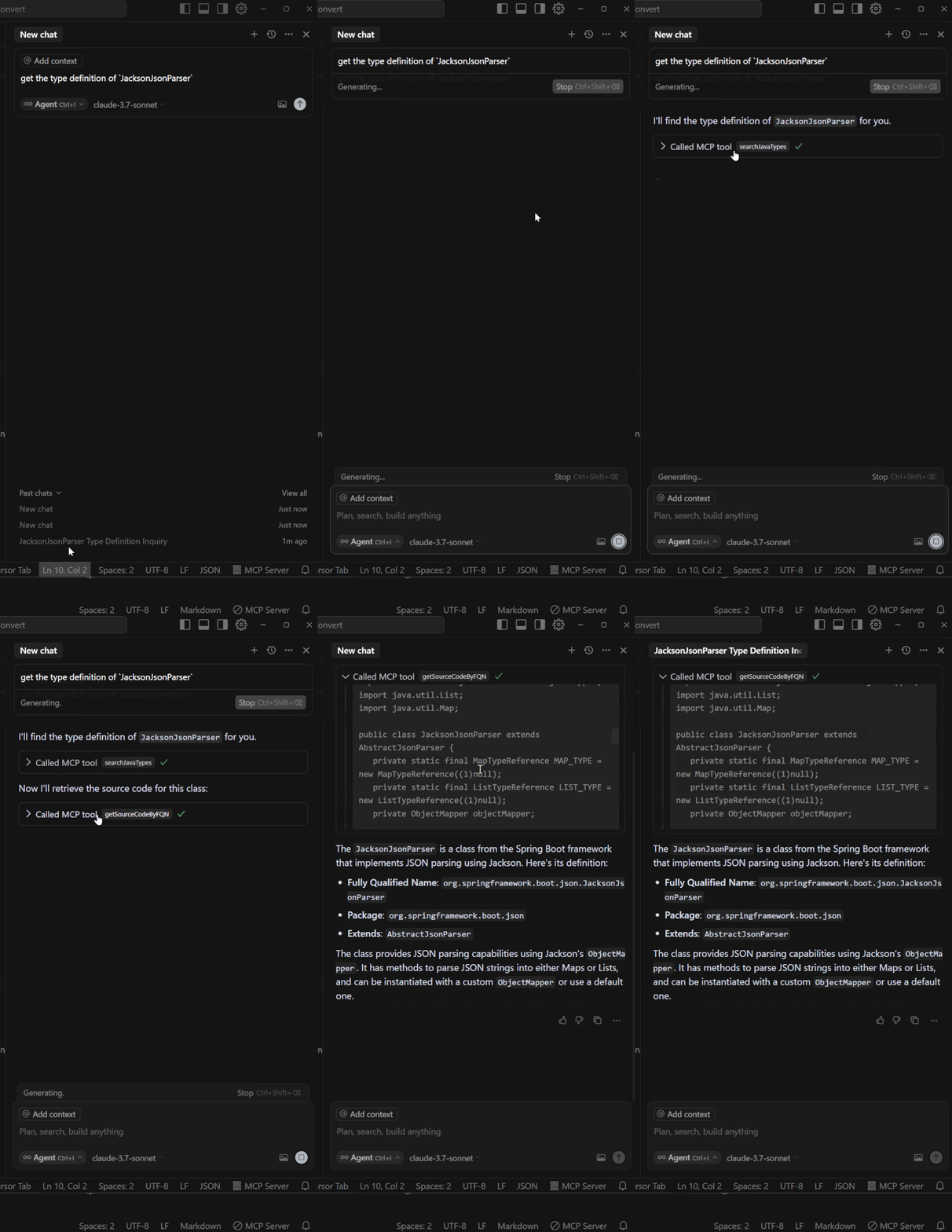
Get Type Definition

Description

A VSCode or Cursor extension that turns your VSCode or Cursor into an MCP server, providing advanced coding assistance for MCP clients (such as Cursor, VSCode copilot, Claude Desktop, Cherry studio). Features include retrieving classes from your project and getting source code via fully qualified names (including project source code and classes from all accessible dependencies in the project).

Multi-instance Switching (Note: Functionality will run on the only MCP server in running status)

  • Easily switch the MCP server between multiple open VSCode or Cursor windows by clicking the status bar item.

Instance switching

Available Built-in Tools

  • searchJavaTypes: Search for Java types (classes, interfaces, and enums) by name
  • getSourceCodeByFQN: Retrieve the source code definition of a Java type by its fully qualified name

Installation & Setup

  1. Confirm that the Extension Pack for Java plugin is installed and can run Java projects normally

  2. Download and install this extension MCP Server for Java.

  3. Configure your MCP client:

    • For clients like Claude Desktop, Cursor, Winsurf, VSCode, Cherry studio: Add the following to your configuration file (claude_desktop_config.json):
    {
      "mcpServers": {
        "vscode-java": {
          "command": "npx",
          "args": ["vscode-as-mcp-server"]
        }
      }
    }
    
  4. Check the MCP server status in the bottom-right VSCode or Cursor status bar:

    • ✅: Server is running
    • ∅: Click to start the server

Server status indicator

  1. Open a Java project and make sure the project is fully loaded Project fully loaded

Server Config

{
  "mcpServers": {
    "vscode-java": {
      "command": "npx",
      "args": [
        "vscode-as-mcp-server"
      ]
    }
  }
}
Recommend Servers
TraeBuild with Free GPT-4.1 & Claude 3.7. Fully MCP-Ready.
Playwright McpPlaywright MCP server
CursorThe AI Code Editor
AiimagemultistyleA Model Context Protocol (MCP) server for image generation and manipulation using fal.ai's Stable Diffusion model.
Tavily Mcp
Serper MCP ServerA Serper MCP Server
EdgeOne Pages MCPAn MCP service designed for deploying HTML content to EdgeOne Pages and obtaining an accessible public URL.
Howtocook Mcp基于Anduin2017 / HowToCook (程序员在家做饭指南)的mcp server,帮你推荐菜谱、规划膳食,解决“今天吃什么“的世纪难题; Based on Anduin2017/HowToCook (Programmer's Guide to Cooking at Home), MCP Server helps you recommend recipes, plan meals, and solve the century old problem of "what to eat today"
Zhipu Web SearchZhipu Web Search MCP Server is a search engine specifically designed for large models. It integrates four search engines, allowing users to flexibly compare and switch between them. Building upon the web crawling and ranking capabilities of traditional search engines, it enhances intent recognition capabilities, returning results more suitable for large model processing (such as webpage titles, URLs, summaries, site names, site icons, etc.). This helps AI applications achieve "dynamic knowledge acquisition" and "precise scenario adaptation" capabilities.
Jina AI MCP ToolsA Model Context Protocol (MCP) server that integrates with Jina AI Search Foundation APIs.
Visual Studio Code - Open Source ("Code - OSS")Visual Studio Code
MiniMax MCPOfficial MiniMax Model Context Protocol (MCP) server that enables interaction with powerful Text to Speech, image generation and video generation APIs.
MCP AdvisorMCP Advisor & Installation - Use the right MCP server for your needs
TimeA Model Context Protocol server that provides time and timezone conversion capabilities. This server enables LLMs to get current time information and perform timezone conversions using IANA timezone names, with automatic system timezone detection.
Context7Context7 MCP Server -- Up-to-date code documentation for LLMs and AI code editors
WindsurfThe new purpose-built IDE to harness magic
Baidu Map百度地图核心API现已全面兼容MCP协议,是国内首家兼容MCP协议的地图服务商。
DeepChatYour AI Partner on Desktop
Amap Maps高德地图官方 MCP Server
ChatWiseThe second fastest AI chatbot™
BlenderBlenderMCP connects Blender to Claude AI through the Model Context Protocol (MCP), allowing Claude to directly interact with and control Blender. This integration enables prompt assisted 3D modeling, scene creation, and manipulation.