MCP Server - Coda.io
A Model Context Protocol (MCP) server implementation for seamless integration with Coda's API, providing various tools for document, table, and data management.
Features
- Table Operations
- Fetch all tables from a document
- Retrieve specific table data
- Get table columns information
- Row Management
- Fetch rows from tables
- Upsert (insert/update) rows
- Delete rows
- Column Operations
- Fetch specific column details
- Get column metadata
Prerequisites
- Node.js (v20 or higher)
- A Coda API key
- TypeScript knowledge (for development)
Environment Setup
- Clone or fork this repository in Replit
- Create a
.envfile in the root directory:PORT=8000 CODA_API_KEY=your_coda_api_key_here - Replace
your_coda_api_key_herewith your actual Coda API key
Installation
The project uses npm for dependency management. To install dependencies:
npm install
Building the Project
Compile TypeScript files to JavaScript:
npx tsc
Running the Server
After building, start the server:
node dist/index.js
Or use the combined command:
npm install && npx tsc && node dist/index.js
The server will start on port 8000 by default, with the following endpoints available:
- GET
/sse- SSE connection endpoint - POST
/messages- Message handling endpoint
Available Tools
-
fetch-coda-docs- Fetches all available Coda documents
- Optional parameters: isOwner, limit
-
fetch-coda-tables- Fetches all tables from a specified document
- Required parameter: docId
-
fetch-coda-table- Fetches a specific table from a document
- Required parameters: docId, tableId
-
fetch-coda-table-columns- Retrieves columns information for a specific table
- Required parameters: docId, tableId
-
fetch-coda-rows- Fetches rows from a specified table
- Required parameters: docId, tableId
-
upsert-coda-rows- Inserts or updates rows in a table
- Required parameters: docId, tableId, rows
-
delete-coda-rows- Deletes specified rows from a table
- Required parameters: docId, tableId, rowIds
Error Handling
The server implements comprehensive error handling:
- Environment variable validation
- API response validation
- Request parameter validation
- Proper error messages and logging
Development
The project is structured as follows:
src/
├── tools/           # Individual tool implementations
│   ├── fetch-coda-docs.tool.ts
│   ├── fetch-coda-tables.tool.ts
│   └── ...
└── index.ts        # Main server implementation
Built With
- Express.js - Web framework
- @modelcontextprotocol/sdk - MCP implementation
- Zod - Runtime type checking
- dotenv - Environment configuration
Known Limitations and Future Improvements
The current implementation of tools requires several improvements:
- Enhanced JSON response handling and formatting
- Implementation of pagination for large datasets
- Better error handling and retry mechanisms
- Rate limiting implementation
- Batch processing for large operations
- Caching mechanisms for frequently accessed data
- There is more API tools to implement based on the documentation
MCP Client Implementation Example
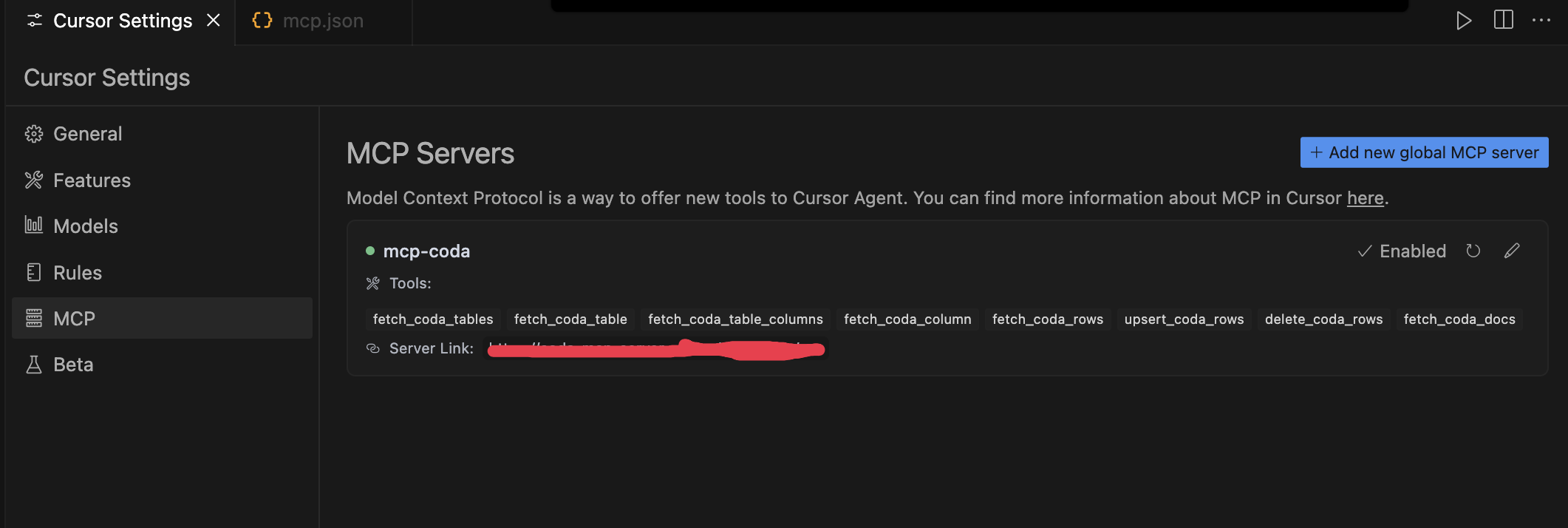
Here are examples of how to implement this MCP server in Cursor:
-
Configure the MCP server in Cursor's
mcp.json: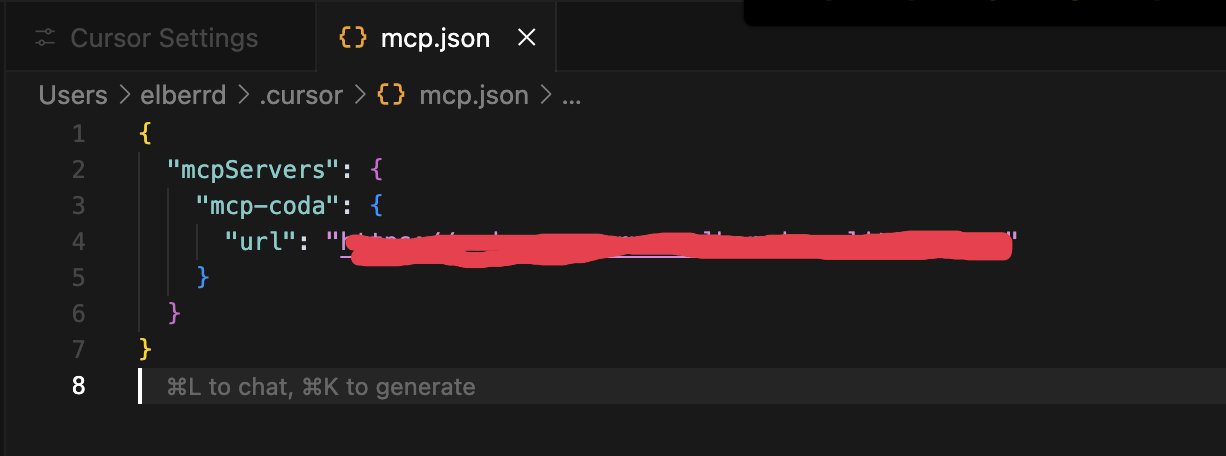
-
Enable and use the available tools in Cursor's settings:
License
This project is licensed under the ISC License.