OpenAPI to Model Context Protocol (MCP)
OpenAPI to Model Context Protocol (MCP)




The OpenAPI to Model Context Protocol (MCP) proxy server bridges the gap between AI agents and external APIs by dynamically translating OpenAPI specifications into standardized MCP tools. This simplifies integration, eliminating the need for custom API wrappers.
- Repository: https://github.com/gujord/OpenAPI-MCP
Why MCP?
The Model Context Protocol (MCP), developed by Anthropic, standardizes communication between Large Language Models (LLMs) and external tools. By acting as a universal adapter, MCP enables AI agents to interface with external APIs seamlessly.
Key Features
- OpenAPI Integration: Parses and registers OpenAPI operations as callable tools.
- OAuth2 Support: Handles machine authentication via Client Credentials flow.
- Dry Run Mode: Simulates API calls without execution for inspection.
- JSON-RPC 2.0 Support: Fully compliant request/response structure.
- Auto Metadata: Derives tool names, summaries, and schemas from OpenAPI.
- Sanitized Tool Names: Ensures compatibility with MCP name constraints.
- Query String Parsing: Supports direct passing of query parameters as a string.
- Enhanced Parameter Handling: Automatically converts parameters to correct data types.
- Extended Tool Metadata: Includes detailed parameter information for better LLM understanding.
- FastMCP Transport: Optimized for
stdio, works out-of-the-box with agents.
Quick Start
Installation
git clone https://github.com/gujord/OpenAPI-MCP.git
cd OpenAPI-MCP
pip install -r requirements.txt
Environment Configuration
| Variable | Description | Required | Default |
|---|---|---|---|
OPENAPI_URL | URL to the OpenAPI specification | Yes | - |
SERVER_NAME | MCP server name | No | openapi_proxy_server |
OAUTH_CLIENT_ID | OAuth client ID | No | - |
OAUTH_CLIENT_SECRET | OAuth client secret | No | - |
OAUTH_TOKEN_URL | OAuth token endpoint URL | No | - |
OAUTH_SCOPE | OAuth scope | No | api |
How It Works
- Parses OpenAPI spec using
httpxandPyYAMLif needed. - Extracts operations and generates MCP-compatible tools with proper names.
- Authenticates using OAuth2 (if credentials are present).
- Builds input schemas based on OpenAPI parameter definitions.
- Handles calls via JSON-RPC 2.0 protocol with automatic error responses.
- Supports extended parameter information for improved LLM understanding.
- Handles query string parsing for easier parameter passing.
- Performs automatic type conversion based on OpenAPI schema definitions.
- Supports dry_run to inspect outgoing requests without invoking them.
sequenceDiagram
    participant LLM as LLM (Claude/GPT)
    participant MCP as OpenAPI-MCP Proxy
    participant API as External API

    Note over LLM, API: Communication Process

    LLM->>MCP: 1. Initialize (initialize)
    MCP-->>LLM: Metadata and tool list

    LLM->>MCP: 2. Request tools (tools_list)
    MCP-->>LLM: Detailed tool list from OpenAPI specification

    LLM->>MCP: 3. Call tool (tools_call)

    alt With OAuth2
        MCP->>API: Request OAuth2 token
        API-->>MCP: Access Token
    end

    MCP->>API: 4. Execute API call with proper formatting
    API-->>MCP: 5. API response (JSON)

    alt Type Conversion
        MCP->>MCP: 6. Convert parameters to correct data types
    end

    MCP-->>LLM: 7. Formatted response from API

    alt Dry Run Mode
        LLM->>MCP: Call with dry_run=true
        MCP-->>LLM: Display request information without executing call
    end
Built-in Tools
These tools are always available:
initialize– Returns server metadata and protocol version.tools_list– Lists all registered tools (from OpenAPI and built-in) with extended metadata.tools_call– Calls any tool by name with arguments.
Advanced Usage
Query String Passing
You can pass query parameters as a string in the kwargs parameter:
{
  "jsonrpc": "2.0",
  "method": "tools_call",
  "params": {
    "name": "get_pets",
    "arguments": {
      "kwargs": "status=available&limit=10"
    }
  },
  "id": 1
}
Parameter Type Conversion
The server automatically converts parameter values to the appropriate type based on the OpenAPI specification:
- String parameters remain as strings
- Integer parameters are converted using
int() - Number parameters are converted using
float() - Boolean parameters are converted from strings like "true", "1", "yes", "y" to
True
LLM Orchestrator Configuration
Cursor (~/.cursor/mcp.json)
{
  "mcpServers": {
    "petstore3": {
      "command": "full_path_to_openapi_mcp/venv/bin/python",
      "args": ["full_path_to_openapi_mcp/src/server.py"],
      "env": {
        "SERVER_NAME": "petstore3",
        "OPENAPI_URL": "https://petstore3.swagger.io/api/v3/openapi.json"
      },
      "transport": "stdio"
    }
  }
}

Windsurf (~/.codeium/windsurf/mcp_config.json)
{
  "mcpServers": {
    "petstore3": {
      "command": "full_path_to_openapi_mcp/venv/bin/python",
      "args": ["full_path_to_openapi_mcp/src/server.py"],
      "env": {
        "SERVER_NAME": "petstore3",
        "OPENAPI_URL": "https://petstore3.swagger.io/api/v3/openapi.json"
      },
      "transport": "stdio"
    }
  }
}
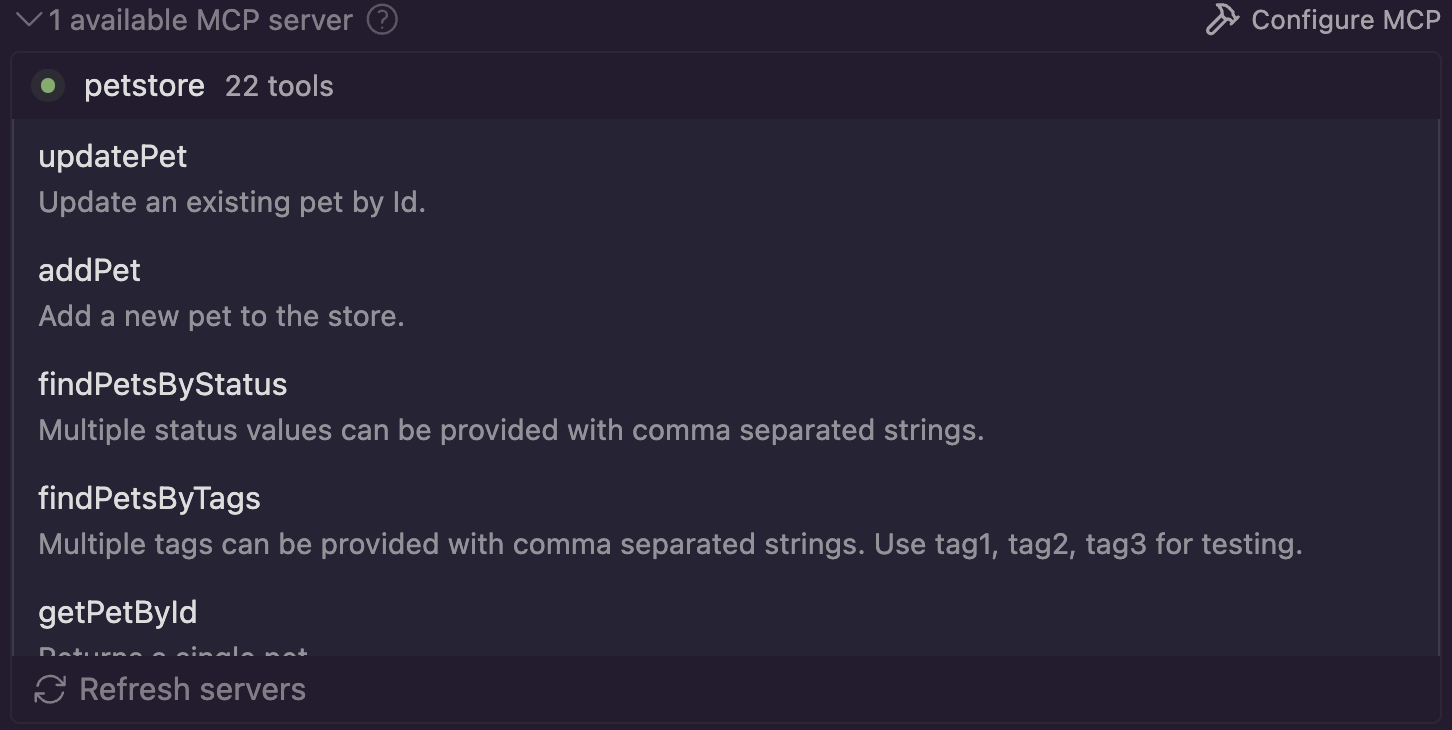
Claude Desktop (~/Library/Application Support/Claude/claude_desktop_config.json)
{
    "mcpServers": {
        "petstore3": {
            "command": "full_path_to_openapi_mcp/venv/bin/python",
            "args": ["full_path_to_openapi_mcp/src/server.py"],
            "env": {
                "SERVER_NAME": "petstore3",
                "OPENAPI_URL": "https://petstore3.swagger.io/api/v3/openapi.json"
            },
            "transport": "stdio"
        }
    }
}
Contributing
- Fork this repo
- Create a new branch
- Submit a pull request with a clear description
License
If you find it useful, give it a ⭐ on GitHub!