Introduction
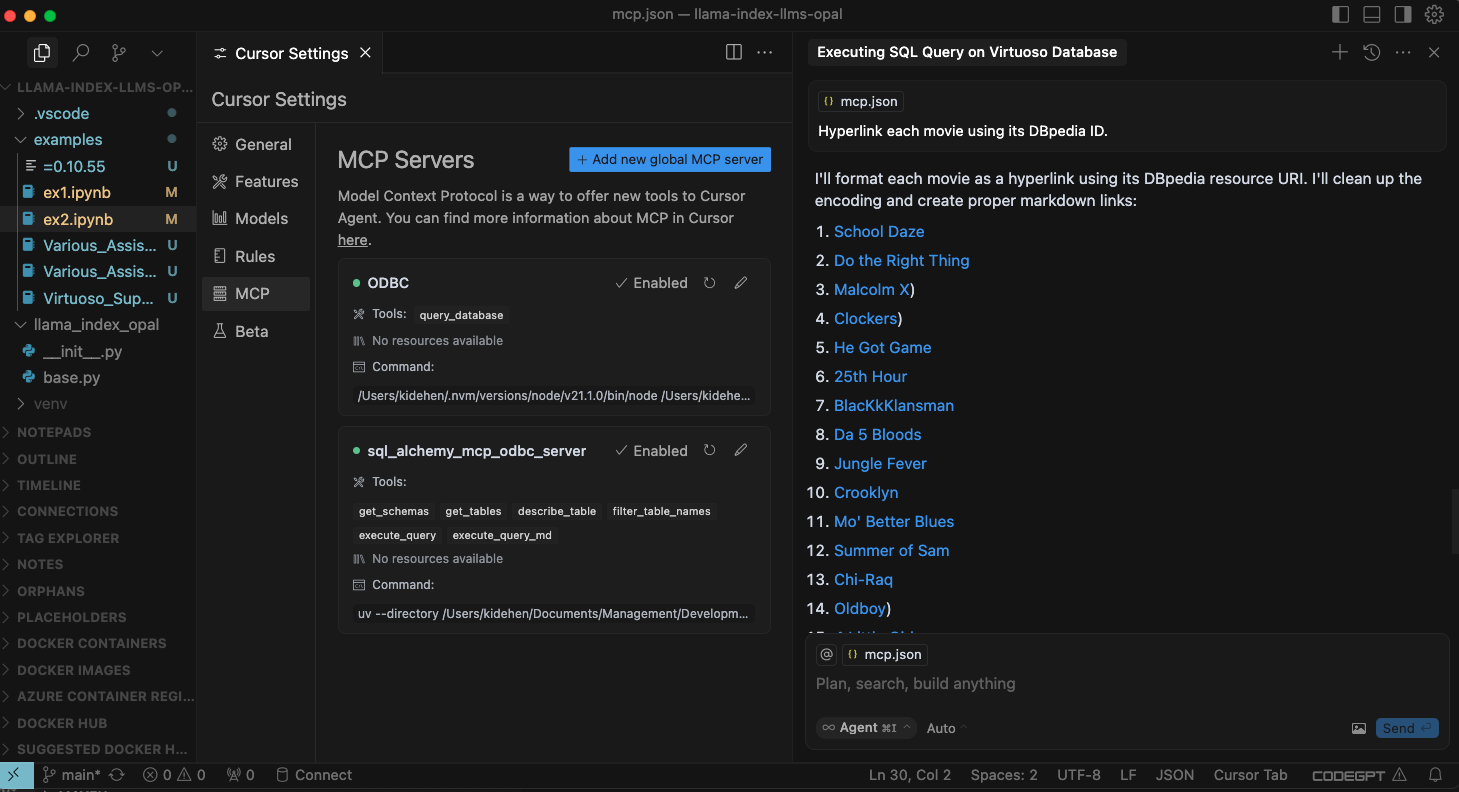
This document covers the setup and use of a generic ODBC server for the Model Context Protocol (MCP), referred to as an mcp-odbc server. It has been developed to provide Large Language Models with transparent access to ODBC-accessible data sources via a Data Source Name configured for a specific ODBC Connector (or Driver).
Server Implementation
This MCP Server for ODBC is a small TypeScript layer built on top of node-odbc. It routes calls to the host system's local ODBC Driver Manager via node.js (specifically using 'npx' for TypeScript).
Operating Environment Setup & Prerequisites
While the examples that follow are oriented toward the Virtuoso ODBC Connector, this guide will also work with other ODBC Connectors. We strongly encourage code contributions and usage demo submissions related to other database management systems for incorporation into this project.
Key System Components
- Check the node.js version; if it's not 21.1.0, upgrade or install explicitly using:
nvm install v21.1.0 - Install MCP components using:
npm install @modelcontextprotocol/sdk zod tsx odbc dotenv - Set the
nvmversion using:nvm alias default 21.1.0
Installation
- Run
git clone https://github.com/OpenLinkSoftware/mcp-odbc-server.git - Change directory
cd mcp-odbc-server - Run
npm init -y - Add entry
"type":"module"to thepackage.jsonfile - Run
npm install @modelcontextprotocol/sdk zod tsx odbc dotenv
unixODBC Runtime Environment Checks
- Check installation configuration (i.e., location of key INI files) by running:
odbcinst -j - List available data source names by running:
odbcinst -q -s
Environment Variables
As good security practice, you should use the .env file situated in the same directory as the mcp-ser to set bindings for the target Large Language Model API Key (if you want to use the OpenLink AI Layer (OPAL) via ODBC), ODBC Data Source Name (ODBC_DSN), User (ODBC_USER), Password (ODBC_PWD), and ODBC INI (ODBCINI).
API_KEY=sk-xxx
ODBC_DSN=Local Virtuoso
ODBC_USER=dba
ODBC_PASSWORD=dba
ODBCINI=/Library/ODBC/odbc.ini
Usage
Tools
After successful installation, the following tools will be available to MCP client applications.
| name | description |
|---|---|
| get_schemas | List database schemas accessible to connected database management system (DBMS). |
| get_tables | List tables associated with a selected database schema. |
| describe_table | Provide the description of a table associated with a designated database schema. This includes information about column names, data types, nulls handling, autoincrement, primary key, and foreign keys |
| filter_table_names | List tables, based on a substring pattern from the q input field, associated with a selected database schema. |
| query_database | Execute a SQL query and return results in JSONL format. |
| execute_query | Execute a SQL query and return results in JSONL format. |
| execute_query_md | Execute a SQL query and return results in Markdown table format. |
| spasql_query | Execute a SPASQL query and return results. |
| sparql_query | Execute a SPARQL query and return results. |
| virtuoso_support_ai | Interact with the Virtuoso Support Assistant/Agent -- a Virtuoso-specific feature for interacting with LLMs |
Basic Installation Testing & Troubleshooting
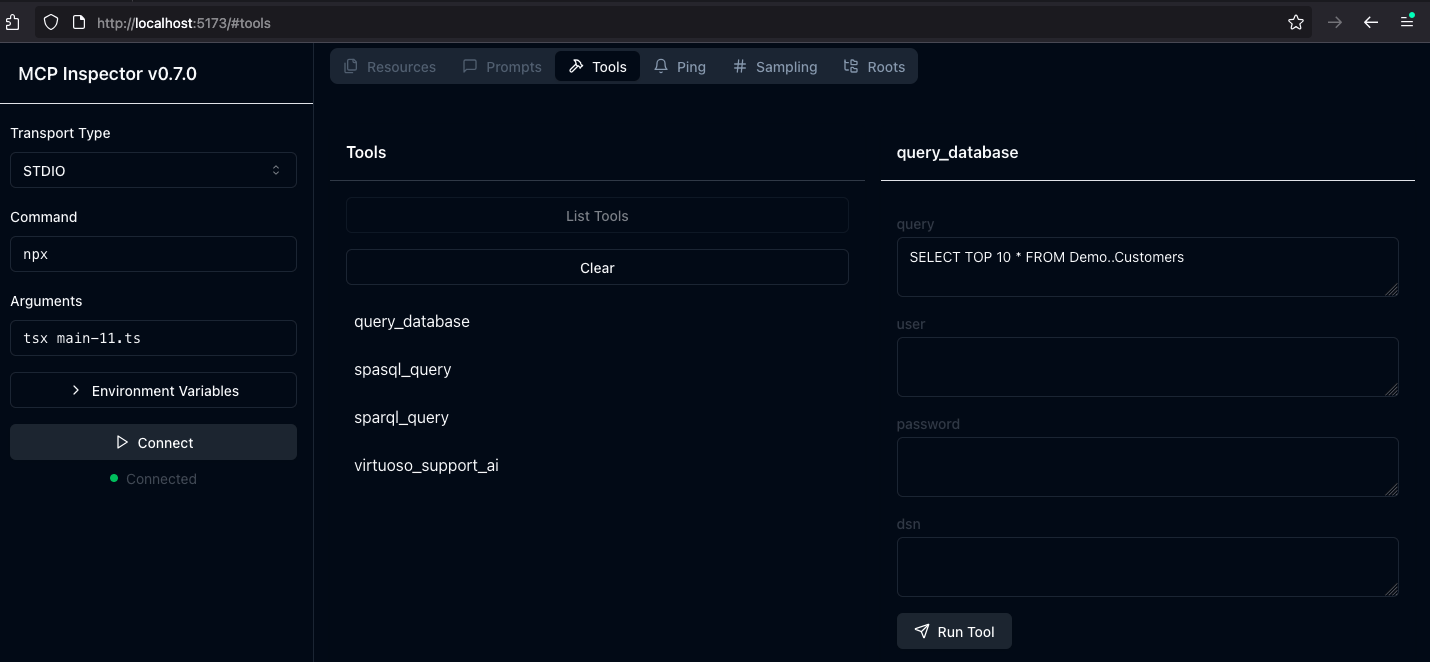
- Start the inspector from the mcp-server directory/folder using the following command:
ODBCINI=/Library/ODBC/odbc.ini npx -y @modelcontextprotocol/inspector npx tsx ./src/main.ts - Click on the "Connect" button, then click on the "Tools" tab to get started.
MCP Application Usage
Claude Desktop Configuration
The path for this config file is: ~{username}/Library/Application Support/Claude/claude_desktop_config.json .
{
    "mcpServers": {
        "ODBC": {
            "command": "/path/to/.nvm/versions/node/v21.1.0/bin/node",
            "args": [
                "/path/to/tsx",
                "/path/to/mcp-odbc-server/src/main.ts"
            ],
            "env": {
                "ODBCINI": "/Library/ODBC/odbc.ini",
                "NODE_VERSION": "v21.1.0",
                "PATH": "~/.nvm/versions/node/v21.1.0/bin:${PATH}"
            },
            "disabled": false,
            "autoApprove": []
        }
    }
}
Claude Desktop Usage
- Start the application
- Apply configuration (from above) via Settings | Developer user interface
- Ensure you have a working ODBC connection to a Data Source Name (DSN)
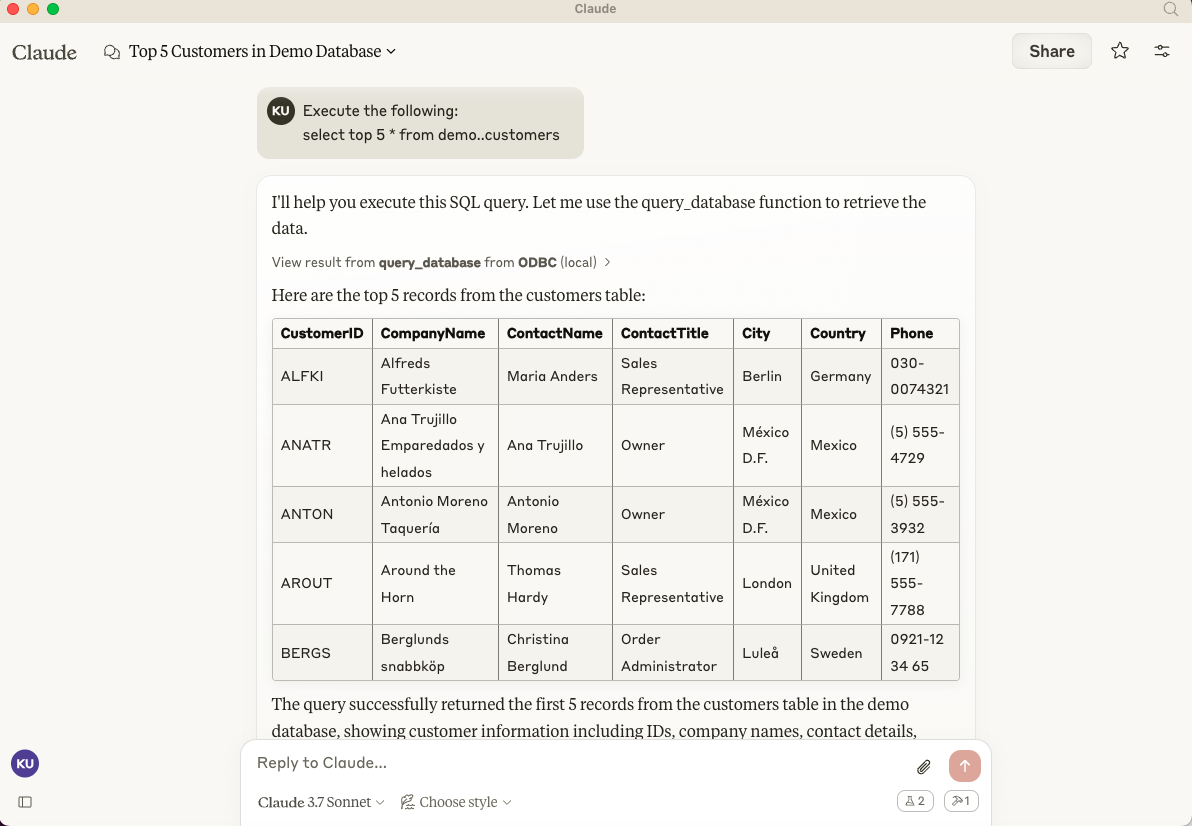
- Present a prompt requesting query execution, e.g.,
Execute the following query: SELECT TOP * from Demo..Customers
Cline (Visual Studio Extension) Configuration
The path for this config file is: ~{username}/Library/Application\ Support/Code/User/globalStorage/saoudrizwan.claude-dev/settings/cline_mcp_settings.json
{
  "mcpServers": {
    "ODBC": {
      "command": "/path/to/.nvm/versions/node/v21.1.0/bin/node",
      "args": [
        "/path/to/mcp-odbc-server/node_modules/.bin/tsx",
        "/path/to/mcp-odbc-server/src/main.ts"
      ],
      "env": {
        "ODBCINI": "/Library/ODBC/odbc.ini",
        "NODE_VERSION": "v21.1.0",
        "PATH": "/path/to/.nvm/versions/node/v21.1.0/bin:${PATH}"
      },
      "disabled": false,
      "autoApprove": []
    }
  }
}
Cline (Visual Studio Extension) Usage
- Use Shift+Command+P to open the Command Palette
- Type in: Cline
- Select: Cline View, which opens the Cline UI in the VSCode sidebar
- Use the four-squares icon to access the UI for installing and configuring MCP servers
- Apply the Cline Config (from above)
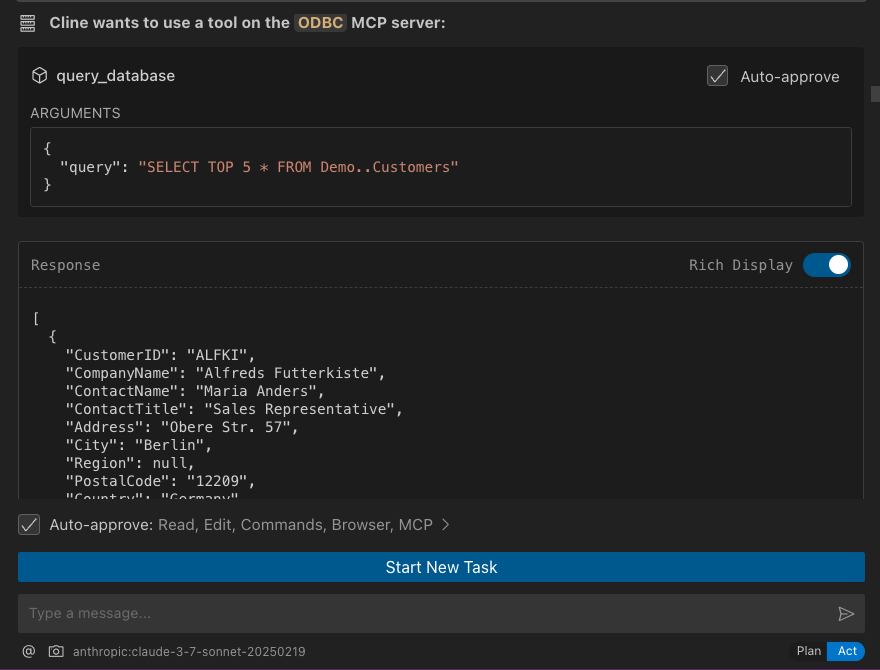
- Return to the extension's main UI and start a new task requesting processing of the following prompt: "Execute the following query: SELECT TOP 5 * from Demo..Customers"
Cursor Configuration
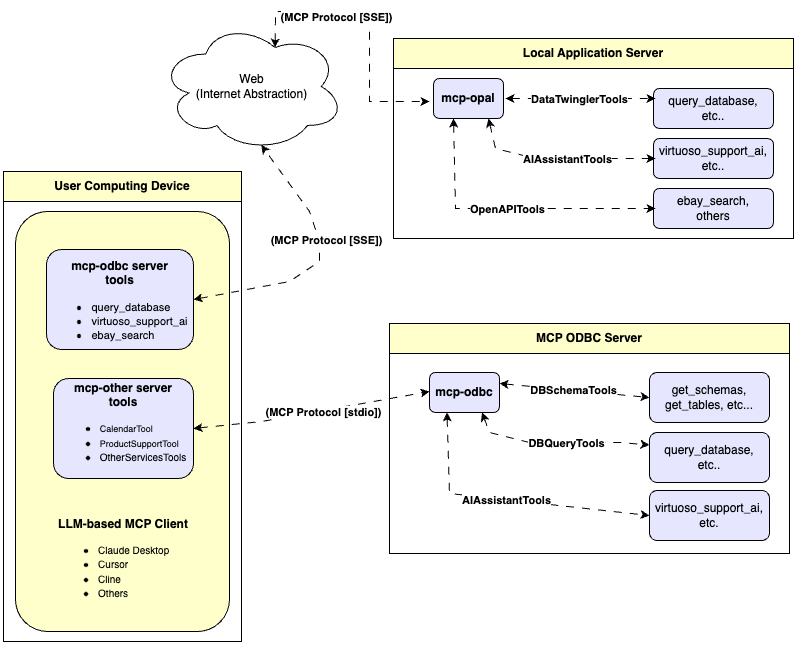
Use the settings gear to open the configuration menu that includes the MCP menu item for registering and configuring mcp servers.
Cursor Usage
- Use the
Command or Control + Ikey combination to open the Chat Interface - Select
Agentfrom the drop-down at the bottom left of the UI, since the default isAsk - Enter your prompt, qualifying the use of the
mcp-server for odbcusing the pattern:@odbc {rest-of-prompt} - Click on "Accept" to execute the prompt.