VibeShift Web tester
VibeShift Web tester
This project provides an AI-powered agent designed to streamline web testing workflows, particularly for developers using AI coding assistants like GitHub Copilot, Cursor, Roo Code, etc. It integrates directly into these assistants via the MCP (Machine Command Protocol), allowing you to automate test recording, execution, and discovery using natural language prompts.
The Problem: Manually testing web applications after generating code with AI assistants is time-consuming and error-prone. Furthermore, AI-driven code changes can inadvertently introduce regressions in previously working features.
The Solution: This tool bridges the gap by enabling your AI coding assistant to:
- Record new test flows: Describe a user journey in natural language, and the agent will interact with the browser (using Playwright) under AI guidance to generate a reproducible test script (JSON format).
- Execute existing tests: Run previously recorded test scripts to perform regression testing, ensuring new code changes haven't broken existing functionality.
- Discover potential test steps: Crawl a website, analyze pages using vision and DOM structure, and ask an LLM to suggest relevant test steps for different pages.
This creates a tighter feedback loop, automating the testing process and allowing the AI assistant (and the developer) to quickly identify and fix issues or regressions.
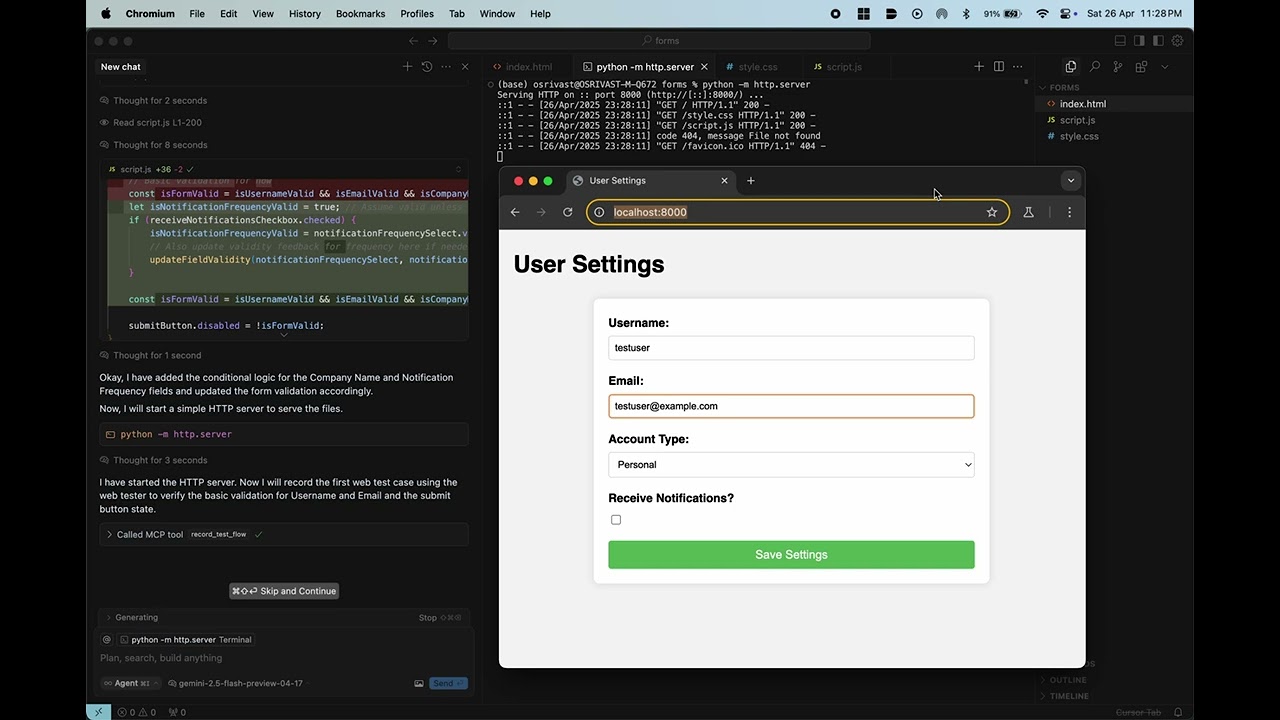
Demo (Click to play these videos)

Features
- MCP Integration: Seamlessly integrates with Cursor/Windsurf/Github Copilot/Roo Code
- AI-Assisted Test Recording: Generate Playwright-based test scripts from natural language descriptions (in automated mode).
- Deterministic Test Execution: Run recorded JSON test files reliably using Playwright.
- AI-Powered Test Discovery: Crawl websites and leverage any LLM (in openai compliant format) to suggest test steps for discovered pages.
- Regression Testing: Easily run existing test suites to catch regressions.
- Automated Feedback Loop: Execution results (including failures, screenshots, console logs) are returned, providing direct feedback to the AI assistant.
- Self Healing: Existing tests self heal in case of code changes. No need to manually update.
- UI tests: UI tests which aren't supported by playwright directly are also supported. For example,
Check if the text is overflowing in the div - Visual Regression Testing: Using traditional pixelmatch and vision LLM approach.
How it Works
+-------------+       +-----------------+       +---------------------+       +-----------------+       +---------+
|    User     | ----> | AI Coding Agent | ----> |     MCP Server      | ----> | Web Test Agent  | ----> | Browser |
| (Developer) |       | (e.g., Copilot) |       | (mcp_server.py)     |       | (agent/executor)|       | (Playwright)|
+-------------+       +-----------------+       +---------------------+       +-----------------+       +---------+
      ^                                                  |                            |                     |
      |--------------------------------------------------+----------------------------+---------------------+
                                      [Test Results / Feedback]
- User: Prompts their AI coding assistant (e.g., "Record a test for the login flow", "Run the regression test 'test_login.json'").
- AI Coding Agent: Recognizes the intent and uses MCP to call the appropriate tool provided by the
MCP Server. - MCP Server: Routes the request to the corresponding function (
record_test_flow,run_regression_test,discover_test_flows,list_recorded_tests). - Web Test Agent:
- Recording: The
WebAgent(in automated mode) interacts with the LLM to plan steps, controls the browser viaBrowserController(Playwright), processes HTML/Vision, and saves the resulting test steps to a JSON file in theoutput/directory. - Execution: The
TestExecutorloads the specified JSON test file, usesBrowserControllerto interact with the browser according to the recorded steps, and captures results, screenshots, and console logs. - Discovery: The
CrawlerAgentusesBrowserControllerandLLMClientto crawl pages and suggest test steps.
- Recording: The
- Browser: Playwright drives the actual browser interaction.
- Feedback: The results (success/failure, file paths, error messages, discovered steps) are returned through the MCP server to the AI coding assistant, which then presents them to the user.
Getting Started
Prerequisites
- Python 3.10+
- Access to any LLM (gemini 2.0 flash works best for free in my testing)
- MCP installed (
pip install mcp[cli]) - Playwright browsers installed (
playwright install)
Installation
- Clone the repository:
git clone <repository-url> cd <repository-name> - Create a virtual environment (recommended):
python -m venv venv source venv/bin/activate # Linux/macOS # venv\Scripts\activate # Windows - Install dependencies:
pip install -r requirements.txt - Install Playwright browsers:
playwright install --with-deps # Installs browsers and OS dependencies
Configuration
- Rename the .env.example to .env file in the project root directory.
- Add your LLM API key and other necessary details:
# .env LLM_API_KEY="YOUR_LLM_API_KEY"- Replace
YOUR_LLM_API_KEYwith your actual key.
- Replace
Adding the MCP Server
Add this to you mcp config:
{
  "mcpServers": {
    "Web-QA":{
      "command": "uv",
      "args": ["--directory","path/to/cloned_repo", "run", "mcp_server.py"]
    }
  }
}
Keep this server running while you interact with your AI coding assistant.
Usage
Interact with the agent through your MCP-enabled AI coding assistant using natural language.
Examples:
-
Record a Test:
"Record a test: go to https://practicetestautomation.com/practice-test-login/, type 'student' into the username field, type 'Password123' into the password field, click the submit button, and verify the text 'Congratulations student' is visible."
- (The agent will perform these actions automatically and save a
test_....jsonfile inoutput/)
- (The agent will perform these actions automatically and save a
-
Execute a Test:
"Run the regression test
output/test_practice_test_login_20231105_103000.json"- (The agent will execute the steps in the specified file and report PASS/FAIL status with errors and details.)
-
Discover Test Steps:
"Discover potential test steps starting from https://practicetestautomation.com/practice/"
- (The agent will crawl the site, analyze pages, and return suggested test steps for each.)
-
List Recorded Tests:
"List the available recorded web tests."
- (The agent will return a list of
.jsonfiles found in theoutput/directory.)
- (The agent will return a list of
Output:
- Recorded Tests: Saved as JSON files in the
output/directory (seetest_schema.mdfor format). - Execution Results: Returned as a JSON object summarizing the run (status, errors, evidence paths). Full results are also saved to
output/execution_result_....json. - Discovery Results: Returned as a JSON object with discovered URLs and suggested steps. Full results saved to
output/discovery_results_....json.
Inspiration
- Browser Use: The dom context tree generation is heavily inspired from them and is modified to accomodate static/dynamic/visual elements. Special thanks to them for their contribution to open source.
Contributing
Contributions are welcome! Please see CONTRIBUTING.md for details on how to get started, report issues, and submit pull requests.
License
This project is licensed under the APACHE-2.0.