Azure Cli
Azure CLI MCP
This is an MCP Server that wraps the Azure CLI, adds a nice prompt to improve how it works, and exposes it.
Demos
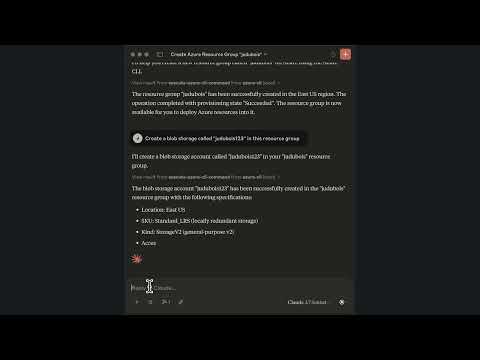
Short 2-minute demo with Claude Desktop
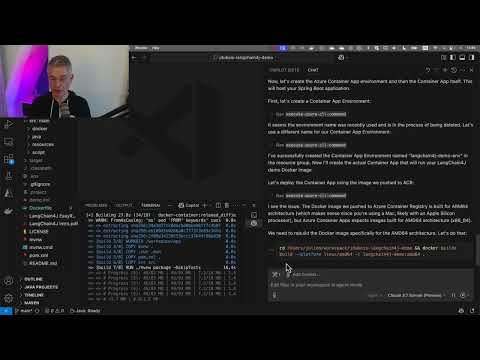
Complete 18-minute demo with VS Code
What can it do?
It has access to the full Azure CLI, so it can do anything the Azure CLI can do. Here are a few scenarios:
- Listing your resources and checking their configuration. For example, you can get the rate limits of a model deployed to Azure OpenAI.
- Fixing some configuration or security issues. For example, you can ask it to secure a Blob Storage account.
- Creating resources. For example, you can ask it to create an Azure Container Apps instance, an Azure Container Registry, and connect them using managed identity.
Is it safe to use?
As the MCP server is driven by an LLM, we would recommend to be careful and validate the commands it generates. Then, if you're using a good LLM like Claude 3.7 or GPT-4o, which has excellent training data on Azure, our experience has been very good.
Please read our License which states that "THE SOFTWARE IS PROVIDED "AS IS", WITHOUT WARRANTY OF ANY KIND", so you use this MCP server at your own risk.
Is it secured, and should I run this on a remote server?
Short answer: NO.
This MCP server runs az commands for you, and could be hacked by an attacker to run any other command. The current
implementation, as with most MCP servers at the moment, only works with the stio transport:
it's supposed to run locally on your machine, using your Azure CLI credentials, as you would do by yourself.
In the future, it's totally possible to have this MCP server support the http transport, and an Azure token
authentication, so that it could be used remotely by different persons. It's a second step, that will be done once the
MCP specification and SDK are more stable.
How do I install it?
This MCP server currently only works with the stdio transport, so it should run locally on your machine, using your Azure CLI credentials.
Prerequisites
- Install the Azure CLI: you can do this by following the instructions here.
- Authenticate to your Azure account. You can do this by running
az loginin your terminal.
Installing the MCP server
You can run azure-cli-mcp as a Java executable
To run the Java archive, you need to have a Java Virtual Machine (version 17 or higher) installed.
Binaries are available on the GitHub Release page, here's how you can download the latest one with the GitHub CLI:
- Download the latest release:
gh release download --repo jdubois/azure-cli-mcp --pattern='azure-cli-mcp.jar'
Configuring the MCP server with Claude Desktop
Claude Desktop makes it easy to configure and chat with the MCP server. If you want a more advanced usage, we recommend using VS Code (see next section).
You need to add the server to your claude_dekstop_config.json file. Please note that you need to point to the location
where you downloaded the azure-cli-mcp.jar file.
{
    "mcpServers": {
        "azure-cli": {
            "command": "java",
            "args": [
                "-jar",
              "~/Downloads/azure-cli-mcp.jar"
            ]
        }
    }
}
Configuring the MCP server with VS Code
At the moment, this is only available with VS Code Insiders.
When you are developing a project and want to deploy it to Azure, VS Code will now have your project's context as well as this MCP Server, which will make it really good at deploying your project.
Here are the steps to configure it:
- Install GitHub Copilot
- Install this MCP Server using the command palette:
MCP: Add Server... - Configure GitHub Copilot to run in
Agentmode, by clicking on the arrow at the bottom of the the chat window - On top of the chat window, you should see the
azure-cli-mcpserver configured as a tool
Server Config
{
  "mcpServers": {
    "azure-cli": {
      "command": "java",
      "args": [
        "-jar",
        "~/Downloads/azure-cli-mcp.jar"
      ]
    }
  }
}