Cua Agent


Cua (pronounced "koo-ah", short for Computer-Use Agent) is an open-source framework that combines high-performance virtualization with AI agent capabilities to enable secure, isolated environments for AI systems to interact with desktop applications.
What is Cua?
Cua offers two primary capabilities in a single integrated framework:
-
High-Performance Virtualization - Create and run macOS/Linux virtual machines on Apple Silicon with near-native performance (up to 90% of native speed) using
Apple's Virtualization.Framework. -
Computer-Use Interface & Agent - A framework that allows AI systems to observe and control these virtual environments - interacting with applications, browsing the web, writing code, and performing complex workflows.
Why Use Cua?
- Security & Isolation: Run AI agents in fully isolated virtual environments instead of giving them access to your main system
- Performance: Near-native performance on Apple Silicon
- Flexibility: Run macOS or Linux environments with the same framework
- Reproducibility: Create consistent, deterministic environments for AI agent workflows
- LLM Integration: Built-in support for connecting to various LLM providers
System Requirements
- Mac with Apple Silicon (M1/M2/M3/M4 series)
- macOS 14 (Sonoma) or newer
- Python 3.10+ (for Computer and Agent libraries)
- Disk space for VM images (40GB+ recommended)
Quick Start
Option 1: Lume CLI Only (VM Management)
If you only need the virtualization capabilities:
/bin/bash -c "$(curl -fsSL https://raw.githubusercontent.com/trycua/cua/main/libs/lume/scripts/install.sh)"
For Lume usage instructions, refer to the Lume documentation.
Option 2: Full Computer-Use Agent Capabilities
If you want to use AI agents with virtualized environments:
-
Install the Lume CLI:
/bin/bash -c "$(curl -fsSL https://raw.githubusercontent.com/trycua/cua/main/libs/lume/scripts/install.sh)" -
Install the Python libraries:
pip install cua-computer cua-agent[all] -
Use the libraries in your Python code:
from cua.computer import Computer
from cua.agent import ComputerAgent, LLM, AgentLoop, LLMProvider

async with Computer(verbosity=logging.DEBUG) as macos_computer:
  agent = ComputerAgent(
      computer=macos_computer,
      loop=AgentLoop.OPENAI, # or AgentLoop.ANTHROPIC, or AgentLoop.OMNI
      model=LLM(provider=LLMProvider.OPENAI) # or LLM(provider=LLMProvider.ANTHROPIC)
  )

  tasks = [
      "Look for a repository named trycua/cua on GitHub.",
  ]

  for task in tasks:
    async for result in agent.run(task):
      print(result)
Explore the Agent Notebook for a ready-to-run example.
-
Optionally, you can use the Agent with a Gradio UI:
from utils import load_dotenv_files load_dotenv_files() from agent.ui.gradio.app import create_gradio_ui app = create_gradio_ui() app.launch(share=False) -
For Developers only (contribute and use latest features):
# Clone the repository
git clone https://github.com/trycua/cua.git
cd cua

# Open the project in VSCode
code ./vscode/py.code-workspace

# Build the project
./scripts/build.sh
See our Developer-Guide for more information.
Monorepo Libraries
| Library | Description | Installation | Version |
|---|---|---|---|
| Lume | CLI for running macOS/Linux VMs with near-native performance using Apple's Virtualization.Framework. |  |  |
| Computer | Computer-Use Interface (CUI) framework for interacting with macOS/Linux sandboxes | pip install cua-computer |  |
| Agent | Computer-Use Agent (CUA) framework for running agentic workflows in macOS/Linux dedicated sandboxes | pip install cua-agent |  |
Docs
For the best onboarding experience with the packages in this monorepo, we recommend starting with the Computer documentation to cover the core functionality of the Computer sandbox, then exploring the Agent documentation to understand Cua's AI agent capabilities, and finally working through the Notebook examples.
Demos
Demos of the Computer-Use Agent in action. Share your most impressive demos in Cua's Discord community!
AI-Gradio: multi-app workflow requiring browser, VS Code and terminal access
Notebook: Fix GitHub issue in Cursor
Accessory Libraries
| Library | Description | Installation | Version |
|---|---|---|---|
| Core | Core functionality and utilities used by other Cua packages | pip install cua-core |  |
| PyLume | Python bindings for Lume | pip install pylume |  |
| Computer Server | Server component for the Computer-Use Interface (CUI) framework | pip install cua-computer-server |  |
| SOM | Self-of-Mark library for Agent | pip install cua-som |  |
Contributing
We welcome and greatly appreciate contributions to Cua! Whether you're improving documentation, adding new features, fixing bugs, or adding new VM images, your efforts help make lume better for everyone. For detailed instructions on how to contribute, please refer to our Contributing Guidelines.
Join our Discord community to discuss ideas or get assistance.
License
Cua is open-sourced under the MIT License - see the LICENSE file for details.
Trademarks
Apple, macOS, and Apple Silicon are trademarks of Apple Inc. Ubuntu and Canonical are registered trademarks of Canonical Ltd. This project is not affiliated with, endorsed by, or sponsored by Apple Inc. or Canonical Ltd.
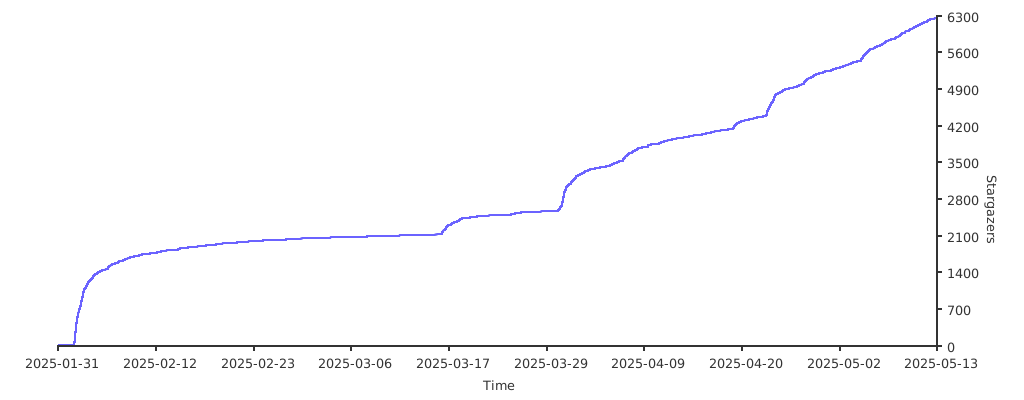
Stargazers over time
Contributors
 f-trycua 💻 |  Pedro Piñera Buendía 💻 |  Amit Kumar 💻 |  Dung Duc Huynh (Kaka) 💻 |  Zayd Krunz 💻 |  Prashant Raj 💻 |  Leland Takamine 💻 |
 ddupont 💻 |  Ethan Gutierrez 💻 |
Server Config
{
  "mcpServers": {
    "cua-agent": {
      "command": "/bin/bash",
      "args": [
        "/Users/francescobonacci/.cua/start_mcp_server.sh"
      ],
      "env": {
        "CUA_AGENT_LOOP": "OMNI",
        "CUA_MODEL_PROVIDER": "ANTHROPIC",
        "CUA_MODEL_NAME": "claude-3-7-sonnet-20250219",
        "ANTHROPIC_API_KEY": "your-api-key"
      }
    }
  }
}