🍲
🍲 Canada's Food Guide - MCP Server



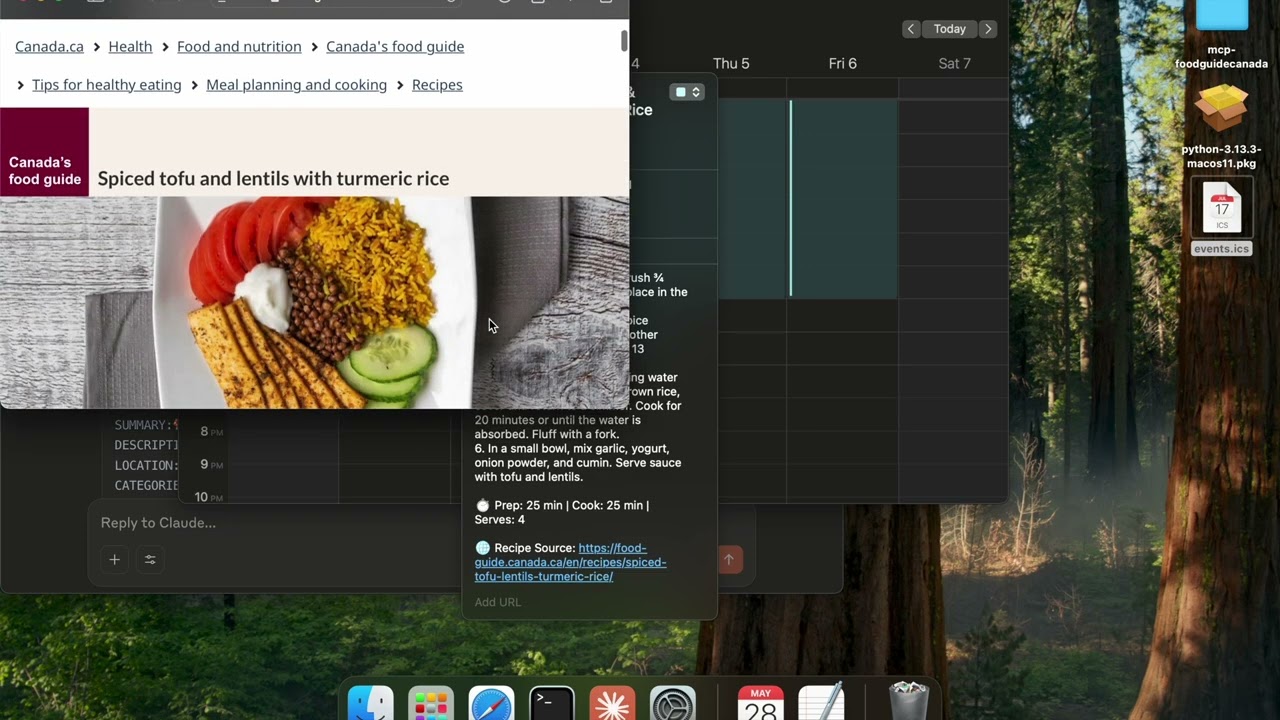
Click the image to watch example uses of the mcp server to 1) find themed recipes, and creating an .ics event to block meal prep time; 2) find recipes based on an image of your groceries!
📝 Description
This project is essentially a web scraper built specifically for Canada's Food Guide that's been wrapped into a Model Context Protocol (MCP) server.
Why this matters:
Instead of LLMs having to figure out Canada's Food Guide website structure, search through HTML, and extract recipe information manually each call, this server gives LLMs three simple, ready-to-use tools for quick-calls:
- 🔍 Search for recipes with smart filtering (by ingredient, meal type, dietary preferences)
- 📖 Get complete recipe details (ingredients, instructions, cooking tips, nutritional info)
- 📋 Discover available filters (see what ingredients, meal types, and collections are available)
The server is built using the FastMCP library and uses custom BeautifulSoup4 scrapers fine-tuned to Canada's Food Guide website structure, making Canada's Food Guide Recipes directly accessible to AI assistants.
Looking to contribute? Check the implementations.md to see where the next versions of the project could go towards!
📑 Table of Contents
- 📝 Description
- ✨ Features
- 📥 Installation
- 🚀 Running the Server using Claude
- 🏗️ Project Structure
- ⚠️ Known Issues
- 📋 API Reference
✨ Features
This server exposes Canada's Food Guide recipe functionalities as MCP tools, including:
Recipe Search & Retrieval
- Search Operations:
- Search for recipes by text query
- Filter by ingredients (fruits, vegetables, proteins, whole grains)
- Filter by meal type (breakfast, lunch, dinner, snacks)
- Filter by cooking appliance (oven, stovetop, etc.)
- Filter by collections (vegetarian, kid-friendly, etc.)
- Configure maximum search pages
- Recipe Operations:
- Fetch detailed recipe information by URL
- Get ingredients, instructions, cooking times, and servings
- Retrieve recipe tips and images from the recipe
- Filter Operations:
- List all available filter categories
- Get specific filter options (e.g., all available vegetables)
- Find valid collections for recipe filtering
📥 Installation
Click the image to Watch the setup tutorial!

-
Prerequisites:
-
Clone the repository:
git clone https://github.com/Aryan-Jhaveri/mcp-foodguidecanada cd mcp-foodguidecanada -
Install dependencies:
pip3 install -r requirements.txt
🚀 Running the Server using Claude Desktop Integration
To use this server with Claude Desktop:
-
Find your Python path: Open your terminal and run:
which python3This will show the full path to your Python installation (e.g.,
/usr/bin/python3,/opt/homebrew/bin/python3, or/opt/anaconda3/bin/python3) -
Get the absolute path to your project: In your terminal, navigate to the project directory and run:
pwdThis shows your full project path (e.g.,
mcp-foodguidecanada) -
Open Claude Desktop settings:
- Navigate to Settings (⌘ + ,) → Developer → Edit Config
-
Add the server configuration: Replace the paths below with your actual paths from steps 1 and 2:
{
  "mcpServers": {
    "FoodGuideSousChef": {
      "command": "/opt/homebrew/bin/python3",
      "args": [
        "path/to/mcp-foodguidecanada/src/server.py"
      ],
      "cwd": "path/to/mcp-foodguidecanada"
    }
  }
}
Common Python paths by system:
- Homebrew (Mac):
/opt/homebrew/bin/python3 - System Python (Mac):
/usr/bin/python3 - Anaconda:
/opt/anaconda3/bin/python3 - Linux:
/usr/bin/python3
- Homebrew (Mac):
-
Save and restart Claude Desktop:
- Save the configuration file
- Completely quit and restart Claude Desktop
- The server will now be available in your conversations
Troubleshooting
- If the server doesn't appear, check the Claude Desktop logs for error messages
- Verify Python 3.8+ is installed:
python3 --version
- Restart Claude Desktop:
- The server will now be available in your conversations
🏗️ Project Structure
Here's what each file does in simple terms:
🗂️ Root Files
main.py: The starting point if you want to run this as a command-line tool (instead of an MCP server)requirements.txt: Lists all the Python packages this project needs to work
📁 src/ Folder - The Heart of the Project
This is where all the main code lives:
-
server.py: This is the main file that creates the MCP server. It:- Sets up the three tools (search_recipes, get_recipe, list_filters) that Claude can use
- Connects everything together
- This is the file you run to start the server
-
cli.py: Creates a command-line interface so you can test the recipe search in your terminal (useful for debugging)
📁 api/ Folder - Talks to Canada's Food Guide Website
search.py: Goes to Canada's Food Guide website and searches for recipes- Takes your search terms and filters
- Returns a list of recipe titles and URLs
recipe.py: Takes a recipe URL and extracts all the details:- Ingredients list, cooking steps, prep time, tips, photos, etc.
- Does the "web scraping" to pull information from the HTML
📁 models/ Folder - Data Structures
recipe.py: Defines what a "Recipe" looks like in code (title, ingredients, instructions, etc.)filters.py: Manages the search filters (like "vegetarian", "breakfast", "chicken")- Downloads available filters from the website and caches them
- Converts user-friendly names (like "apple") into website codes (like "43")
📁 utils/ Folder - Helper Functions
url_builder.py: Builds the correct web addresses for searching Canada's Food Guidedownloader.py: Can save recipes to your computer as files (JSON or Markdown format)parser.py: Currently empty (reserved for future HTML parsing utilities)
📁 Other Folders
cache/: Stores downloaded filter information so the app doesn't have to re-download it every timeprompts/: Contains documentation and examples for MCP integration
🔄 How It All Works Together:
server.pycreates the MCP tools- When LLM calls
search_recipes, it usessearch.pyandurl_builder.pyto find recipes - When LLM calls
get_recipe, it usesrecipe.pyto extract all recipe details - The
models/define how data is structured - Everything gets returned to LLM in a format it can understand
⚠️ Known Issues and Limitations
- Website Dependency: Will break if Canada's Food Guide website structure changes
- Data Inconsistency: Depends on food guide to upload clean data (e.g., searching for
--fruits applevssearch appleresults in 1 missing recipe in filtered search due to data editing anomalies) - Search Limitations: Maximum number of pages and results is capped
- Performance: Web scraping may be slow compared to a direct API
- Availability: Requires internet connection to access the Canada's Food Guide website
📋 API Reference
Tool: search_recipes
Search for recipes on Canada's Food Guide website.
Parameters:
search_text(string, optional): Text to search for in recipesfruits(array of strings, optional): Filter by fruits (e.g., apple, banana)vegetables(array of strings, optional): Filter by vegetables (e.g., carrot, broccoli)proteins(array of strings, optional): Filter by proteins (e.g., chicken, tofu)whole_grains(array of strings, optional): Filter by whole grains (e.g., rice, quinoa)meals(array of strings, optional): Filter by meal type (e.g., breakfast, dinner)appliances(array of strings, optional): Filter by cooking appliance (e.g., oven, stovetop)collections(array of strings, optional): Filter by collections (e.g., vegetarian, kid-friendly)max_pages(integer, optional, default=5): Maximum pages to search
Returns:
- Array of recipe metadata objects with title, URL, and slug
Tool: get_recipe
Fetch detailed recipe information from a URL.
Parameters:
url(string, required): The full URL to the recipe on Canada's Food Guide website
Returns:
- Recipe object with detailed information including ingredients, instructions, preparation time, etc.
Tool: list_filters
Get available filters for searching recipes.
Parameters:
filter_type(string, optional): Specific filter type to retrieve (vegetables, fruits, proteins, whole_grains, meal, cooking_appliance)
Returns:
- Dictionary of filter types and their available values
Made with ❤️ for Canada's Food Guide