Nutrition MCP
Track meals, macros, and nutrition history — all through conversation with Claude. 100% free.
Overview
Nutrition MCP
A remote MCP server for personal nutrition tracking — log meals, track macros, and review nutrition history through conversation.
Quick Start
Already hosted and ready to use — just connect it to your MCP client:
https://nutrition-mcp.com/mcp
On Claude.ai: Customize → Connectors → + → Add custom connector → paste the URL → Connect
On first connect you'll be asked to register with an email and password. Your data persists across reconnections.
Demo
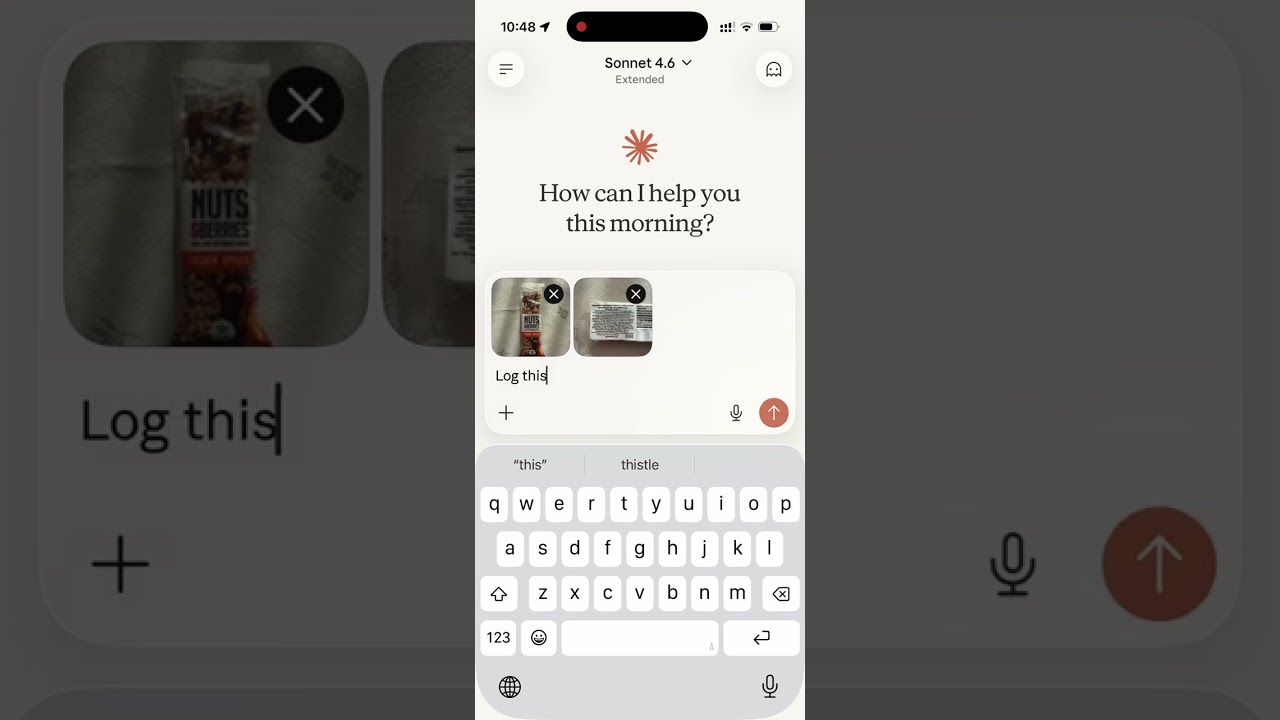
Read the story behind it: How I Replaced MyFitnessPal and Other Apps with a Single MCP Server
Tech Stack
- Bun — runtime and package manager
- Hono — HTTP framework
- MCP SDK — Model Context Protocol over Streamable HTTP
- Supabase — PostgreSQL database + user authentication
- OAuth 2.0 — authentication for Claude.ai connectors
MCP Tools
| Tool | Description |
|---|---|
log_meal | Log a meal with description, type, calories, macros, notes |
get_meals_today | Get all meals logged today |
get_meals_by_date | Get meals for a specific date (YYYY-MM-DD) |
get_nutrition_summary | Daily nutrition totals for a date range |
delete_meal | Delete a meal by ID |
update_meal | Update any fields of an existing meal |
delete_account | Permanently delete account and all associated data |
Supabase Setup
- Create a Supabase project
- Enable Email Auth (Authentication → Providers → Email) and disable email confirmation
- Run the following SQL in the SQL Editor:
-- Meals
CREATE TABLE meals (
    id uuid PRIMARY KEY DEFAULT gen_random_uuid(),
    user_id uuid NOT NULL REFERENCES auth.users(id),
    logged_at timestamptz NOT NULL DEFAULT now(),
    meal_type text CHECK (meal_type IN ('breakfast', 'lunch', 'dinner', 'snack')),
    description text NOT NULL,
    calories integer,
    protein_g numeric,
    carbs_g numeric,
    fat_g numeric,
    notes text
);

-- OAuth access tokens
CREATE TABLE oauth_tokens (
    token text PRIMARY KEY,
    user_id uuid NOT NULL REFERENCES auth.users(id),
    expires_at timestamptz NOT NULL,
    created_at timestamptz NOT NULL DEFAULT now()
);

-- OAuth authorization codes (short-lived, single-use)
CREATE TABLE auth_codes (
    code text PRIMARY KEY,
    redirect_uri text NOT NULL,
    user_id uuid NOT NULL REFERENCES auth.users(id),
    code_challenge text,
    expires_at timestamptz NOT NULL,
    created_at timestamptz NOT NULL DEFAULT now()
);

-- Refresh tokens
CREATE TABLE refresh_tokens (
    token text PRIMARY KEY,
    user_id uuid NOT NULL REFERENCES auth.users(id),
    expires_at timestamptz NOT NULL,
    created_at timestamptz NOT NULL DEFAULT now()
);

-- Enable Row Level Security on all tables
ALTER TABLE meals ENABLE ROW LEVEL SECURITY;
ALTER TABLE oauth_tokens ENABLE ROW LEVEL SECURITY;
ALTER TABLE auth_codes ENABLE ROW LEVEL SECURITY;
ALTER TABLE refresh_tokens ENABLE ROW LEVEL SECURITY;

-- Allow access for the service role
CREATE POLICY "Allow all for service role" ON meals
    FOR ALL USING (true) WITH CHECK (true);
CREATE POLICY "Allow all for service role" ON oauth_tokens
    FOR ALL USING (true) WITH CHECK (true);
CREATE POLICY "Allow all for service role" ON auth_codes
    FOR ALL USING (true) WITH CHECK (true);
CREATE POLICY "Allow all for service role" ON refresh_tokens
    FOR ALL USING (true) WITH CHECK (true);
- Copy the service role key from Project Settings → API and use it as
SUPABASE_SECRET_KEY
Environment Variables
| Variable | Description |
|---|---|
SUPABASE_URL | Your Supabase project URL |
SUPABASE_SECRET_KEY | Supabase service role key (bypasses RLS) |
OAUTH_CLIENT_ID | Random string for OAuth client identification |
OAUTH_CLIENT_SECRET | Random string for OAuth client authentication |
PORT | Server port (default: 8080) |
Generate OAuth credentials:
openssl rand -hex 16   # use as OAUTH_CLIENT_ID
openssl rand -hex 32   # use as OAUTH_CLIENT_SECRET
Development
bun install
cp .env.example .env   # fill in your credentials
bun run dev             # starts with hot reload on http://localhost:8080
Connect to Claude.ai
- Open Claude.ai and click Customize
- Click Connectors, then the + button
- Click Add custom connector
- Fill in:
- Name: Nutrition Tracker
- Remote MCP Server URL:
https://nutrition-mcp.com/mcp
- Click Connect — sign in or register when prompted
- After signing in, Claude can use your nutrition tools. If you reconnect later, sign in with the same email and password to keep your data.
API Endpoints
| Endpoint | Description |
|---|---|
GET /health | Health check |
GET /.well-known/oauth-authorization-server | OAuth metadata discovery |
POST /register | Dynamic client registration |
GET /authorize | OAuth authorization (shows login page) |
POST /approve | Login/register handler |
POST /token | Token exchange |
GET /favicon.ico | Server icon |
ALL /mcp | MCP endpoint (authenticated) |
Deploy
The project includes a Dockerfile for container-based deployment.
- Push your repo to a hosting provider (e.g. DigitalOcean App Platform)
- Set the environment variables listed above
- The app auto-detects the Dockerfile and deploys on port
8080 - Point your domain to the deployed URL
License
Server Config
{
  "mcpServers": {
    "nutrition": {
      "url": "https://nutrition-mcp.com/mcp"
    }
  }
}
Recommend Servers
TraeBuild with Free GPT-4.1 & Claude 3.7. Fully MCP-Ready.
Serper MCP ServerA Serper MCP Server
EdgeOne Pages MCPAn MCP service designed for deploying HTML content to EdgeOne Pages and obtaining an accessible public URL.
WindsurfThe new purpose-built IDE to harness magic
AiimagemultistyleA Model Context Protocol (MCP) server for image generation and manipulation using fal.ai's Stable Diffusion model.
Zhipu Web SearchZhipu Web Search MCP Server is a search engine specifically designed for large models. It integrates four search engines, allowing users to flexibly compare and switch between them. Building upon the web crawling and ranking capabilities of traditional search engines, it enhances intent recognition capabilities, returning results more suitable for large model processing (such as webpage titles, URLs, summaries, site names, site icons, etc.). This helps AI applications achieve "dynamic knowledge acquisition" and "precise scenario adaptation" capabilities.
BlenderBlenderMCP connects Blender to Claude AI through the Model Context Protocol (MCP), allowing Claude to directly interact with and control Blender. This integration enables prompt assisted 3D modeling, scene creation, and manipulation.
MCP AdvisorMCP Advisor & Installation - Use the right MCP server for your needs
Howtocook Mcp基于Anduin2017 / HowToCook (程序员在家做饭指南)的mcp server,帮你推荐菜谱、规划膳食,解决“今天吃什么“的世纪难题;
Based on Anduin2017/HowToCook (Programmer's Guide to Cooking at Home), MCP Server helps you recommend recipes, plan meals, and solve the century old problem of "what to eat today"
Y GuiA web-based graphical interface for AI chat interactions with support for multiple AI models and MCP (Model Context Protocol) servers.
Visual Studio Code - Open Source ("Code - OSS")Visual Studio Code
Tavily Mcp
Playwright McpPlaywright MCP server
MiniMax MCPOfficial MiniMax Model Context Protocol (MCP) server that enables interaction with powerful Text to Speech, image generation and video generation APIs.
Amap Maps高德地图官方 MCP Server
DeepChatYour AI Partner on Desktop
RedisA Model Context Protocol server that provides access to Redis databases. This server enables LLMs to interact with Redis key-value stores through a set of standardized tools.
Jina AI MCP ToolsA Model Context Protocol (MCP) server that integrates with Jina AI Search Foundation APIs.
CursorThe AI Code Editor
Baidu Map百度地图核心API现已全面兼容MCP协议,是国内首家兼容MCP协议的地图服务商。
ChatWiseThe second fastest AI chatbot™