Self-hosted AI starter kit (by the n8n team)
Self-hosted AI starter kit (by the n8n team)
Self-hosted AI Starter Kit is an open, docker compose template that quickly bootstraps a fully featured Local AI and Low Code development environment including Open WebUI for an interface to chat with your N8N agents.
This is Cole's version with a couple of improvements and the addition of Open WebUI and Flowise! Also, the local RAG AI Agent workflow from the video will be automatically in your n8n instance if you use this setup instead of the base one provided by n8n!
Download my N8N + OpenWebUI integration directly on the Open WebUI site. (more instructions below)
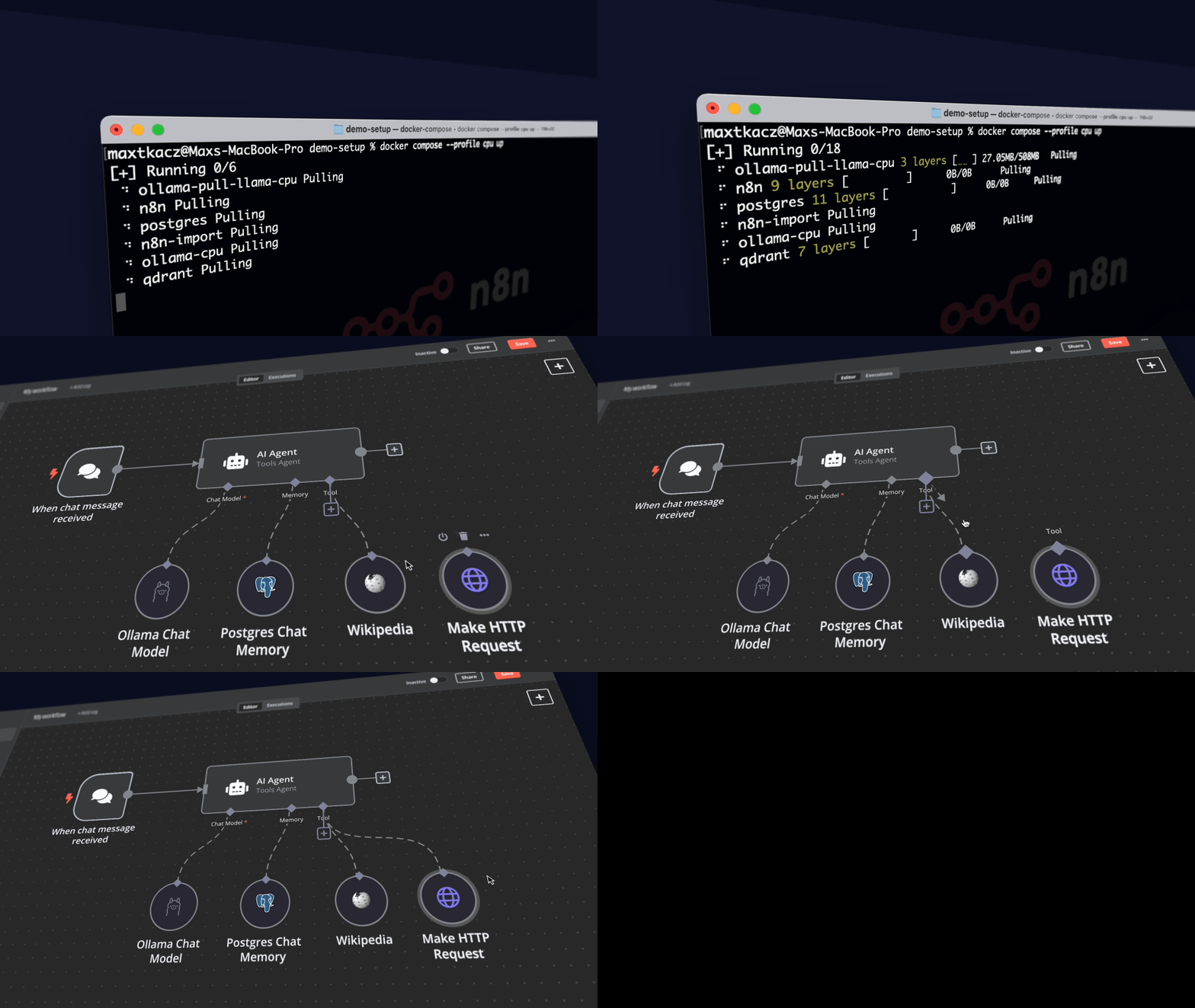
Curated by https://github.com/n8n-io and https://github.com/coleam00, it combines the self-hosted n8n platform with a curated list of compatible AI products and components to quickly get started with building self-hosted AI workflows.
What’s included
✅ Self-hosted n8n - Low-code platform with over 400 integrations and advanced AI components
✅ Ollama - Cross-platform LLM platform to install and run the latest local LLMs
✅ Open WebUI - ChatGPT-like interface to privately interact with your local models and N8N agents
✅ Flowise - No/low code AI agent builder that pairs very well with n8n
✅ Qdrant - Open-source, high performance vector store with an comprehensive API
✅ PostgreSQL - Workhorse of the Data Engineering world, handles large amounts of data safely.
Installation
For Nvidia GPU users
git clone https://github.com/coleam00/ai-agents-masterclass.git
cd ai-agents-masterclass/local-ai-packaged
docker compose --profile gpu-nvidia up
NOTE
If you have not used your Nvidia GPU with Docker before, please follow the Ollama Docker instructions.
For Mac / Apple Silicon users
If you’re using a Mac with an M1 or newer processor, you can't expose your GPU to the Docker instance, unfortunately. There are two options in this case:
- Run the starter kit fully on CPU, like in the section "For everyone else" below
- Run Ollama on your Mac for faster inference, and connect to that from the n8n instance
If you want to run Ollama on your mac, check the Ollama homepage for installation instructions, and run the starter kit as follows:
git clone https://github.com/coleam00/ai-agents-masterclass.git
cd ai-agents-masterclass/local-ai-packaged
docker compose up
After you followed the quick start set-up below, change the Ollama credentials
by using http://host.docker.internal:11434/ as the host.
For everyone else
git clone https://github.com/coleam00/ai-agents-masterclass.git
cd ai-agents-masterclass/local-ai-packaged
docker compose --profile cpu up
⚡️ Quick start and usage
The main component of the self-hosted AI starter kit is a docker compose file pre-configured with network and disk so there isn’t much else you need to install. After completing the installation steps above, follow the steps below to get started.
-
Open http://localhost:5678/ in your browser to set up n8n. You’ll only have to do this once. You are NOT creating an account with n8n in the setup here, it is only a local account for your instance!
-
Open the included workflow: http://localhost:5678/workflow/vTN9y2dLXqTiDfPT
-
Create credentials for every service:
Ollama URL: http://ollama:11434
Postgres: use DB, username, and password from .env. Host is postgres
Qdrant URL: http://qdrant:6333 (API key can be whatever since this is running locally)
Google Drive: Follow this guide from n8n. Don't use localhost for the redirect URI, just use another domain you have, it will still work! Alternatively, you can set up local file triggers.
-
Select Test workflow to start running the workflow.
-
If this is the first time you’re running the workflow, you may need to wait until Ollama finishes downloading Llama3.1. You can inspect the docker console logs to check on the progress.
-
Make sure to toggle the workflow as active and copy the "Production" webhook URL!
-
Open http://localhost:3000/ in your browser to set up Open WebUI. You’ll only have to do this once. You are NOT creating an account with Open WebUI in the setup here, it is only a local account for your instance!
-
Go to Workspace -> Functions -> Add Function -> Give name + description then paste in the code from
n8n_pipe.pyThe function is also published here on Open WebUI's site.
-
Click on the gear icon and set the n8n_url to the production URL for the webhook you copied in a previous step.
-
Toggle the function on and now it will be available in your model dropdown in the top left!
To open n8n at any time, visit http://localhost:5678/ in your browser. To open Open WebUI at any time, visit http://localhost:3000/.
With your n8n instance, you’ll have access to over 400 integrations and a suite of basic and advanced AI nodes such as AI Agent, Text classifier, and Information Extractor nodes. To keep everything local, just remember to use the Ollama node for your language model and Qdrant as your vector store.
NOTE
This starter kit is designed to help you get started with self-hosted AI workflows. While it’s not fully optimized for production environments, it combines robust components that work well together for proof-of-concept projects. You can customize it to meet your specific needs
Upgrading
For Nvidia GPU users
docker compose --profile gpu-nvidia pull
docker compose create && docker compose --profile gpu-nvidia up
For Mac / Apple Silicon users
docker compose pull
docker compose create && docker compose up
For everyone else
docker compose --profile cpu pull
docker compose create && docker compose --profile cpu up
👓 Recommended reading
n8n is full of useful content for getting started quickly with its AI concepts and nodes. If you run into an issue, go to support.
- AI agents for developers: from theory to practice with n8n
- Tutorial: Build an AI workflow in n8n
- Langchain Concepts in n8n
- Demonstration of key differences between agents and chains
- What are vector databases?
🎥 Video walkthrough
🛍️ More AI templates
For more AI workflow ideas, visit the official n8n AI template gallery. From each workflow, select the Use workflow button to automatically import the workflow into your local n8n instance.
Learn AI key concepts
- AI Agent Chat
- AI chat with any data source (using the n8n workflow too)
- Chat with OpenAI Assistant (by adding a memory)
- Use an open-source LLM (via HuggingFace)
- Chat with PDF docs using AI (quoting sources)
- AI agent that can scrape webpages
Local AI templates
- Tax Code Assistant
- Breakdown Documents into Study Notes with MistralAI and Qdrant
- Financial Documents Assistant using Qdrant and Mistral.ai
- Recipe Recommendations with Qdrant and Mistral
Tips & tricks
Accessing local files
The self-hosted AI starter kit will create a shared folder (by default,
located in the same directory) which is mounted to the n8n container and
allows n8n to access files on disk. This folder within the n8n container is
located at /data/shared -- this is the path you’ll need to use in nodes that
interact with the local filesystem.
Nodes that interact with the local filesystem